Legfrissebb híreink
- Új szintre lép a középkategória a Samsung Galaxy A szériával
- Merész üvegdesign, rejtett csatlakozók, maximális hűtés – ez a View 370
- Élő sport és stúdióműsorok: ESPN-el még izgalmasabb a Disney+
- Színek új dimenziója – érkezik a Sony True RGB technológiája
- Samsung Galaxy S26 Ultra: a vásárlók kedvence a felső kategóriában
ENG: Nav N' Go - 1.

Nav N' Go - 1. The 'moving' map
 Nav
N' Go is a 'moving map' program but besides that it is a map that
really moves. You have full control over its 3D visualisation
and, after using it for a few minutes, you will find parts of the map
that are animated, too. First let's have a look at the graphical
possibilities of the software, and later we will go deeper into the
content of the screens and the functions.
Nav
N' Go is a 'moving map' program but besides that it is a map that
really moves. You have full control over its 3D visualisation
and, after using it for a few minutes, you will find parts of the map
that are animated, too. First let's have a look at the graphical
possibilities of the software, and later we will go deeper into the
content of the screens and the functions.
The illustrations below have all been animated using unconsecutive screnshots. This keeps the size of the files small. Because of this they cannot demonstrate the smoothness of motion seen when using the program, they simply present the content of the screen. Furthermore, they have been taken from the original article written in Hungarian more than a month ago, so they contain Hungarian words and reflect the status of the program at that time. Since then several hundreds of modifications have been made to the program, and the bugs you may see are probably all fixed by now. I will try to replace these movies as soon as I have time to make some new screenshots from the English version.
Displaying the 'focus point'
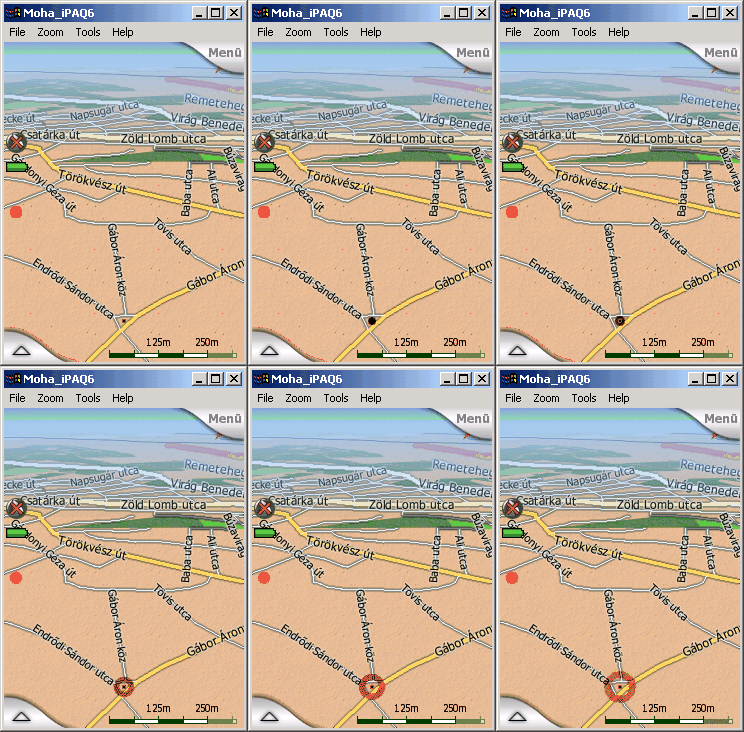
A common problem we face when using moving map programs is how to recognise the selected location on the map. Either the icon or arrow used is too small and insignificant (and we need to hunt for it if we zoom out and the map is too dense around it), or on the contrary the icon is too large covering all objects nearby.
The answer of Nav N' Go is motion. The dot you see is small but you have a kind of 'sonar' around it, that keeps on radiating all the time. The result is: you can see the complex junction in the sample picture, while the location itself remains conspicuous even if it is not in the foreground.
Zoom - a fall into the map
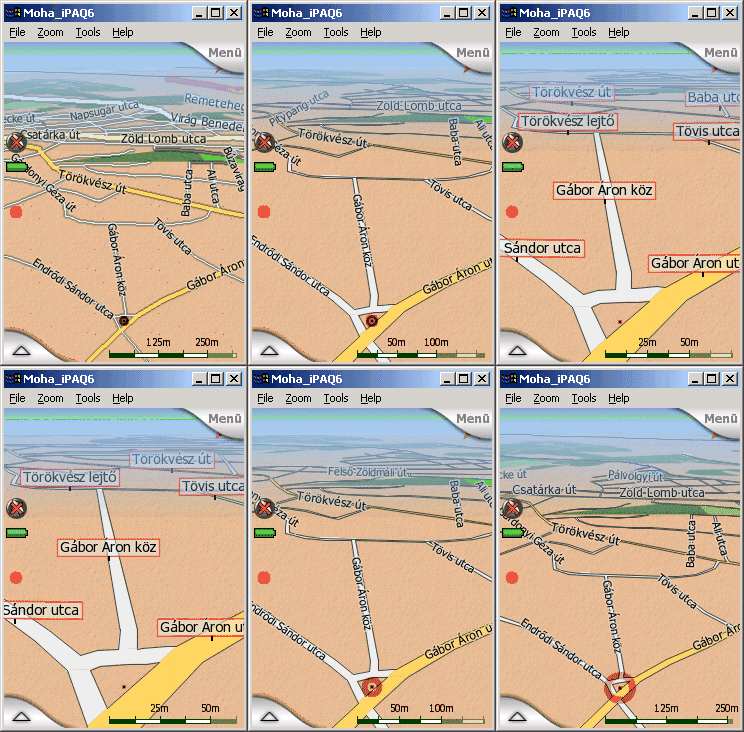
Another good test of a moving map program is the way it behaves while you are zooming in and out. That is the point where raster map programs and programs using fixed layer display all fail. The titles and lables all become useless at certain zoom levels. Either they are too large, or they become too small to read. Furthermore they are almost never in the right place. You can see only fractions of the street names, or even have them upside down if you rotate the map.
 Nav
N' Go uses a fully dynamic visualisation. This means that the map is
always redrawn if it makes a move in any direction. That way you can
always see the street names with the same font size, facing you, and at
the best place for reading as much as possible.
Nav
N' Go uses a fully dynamic visualisation. This means that the map is
always redrawn if it makes a move in any direction. That way you can
always see the street names with the same font size, facing you, and at
the best place for reading as much as possible.
Nav N' Go goes even further than that. While zooming or tilting the map you will find that the street names are sometimes displayed using the paper map style, and sometimes they are shown on guide-posts stuck into the streets themselves.
Tilting - a wide range rarely seen!
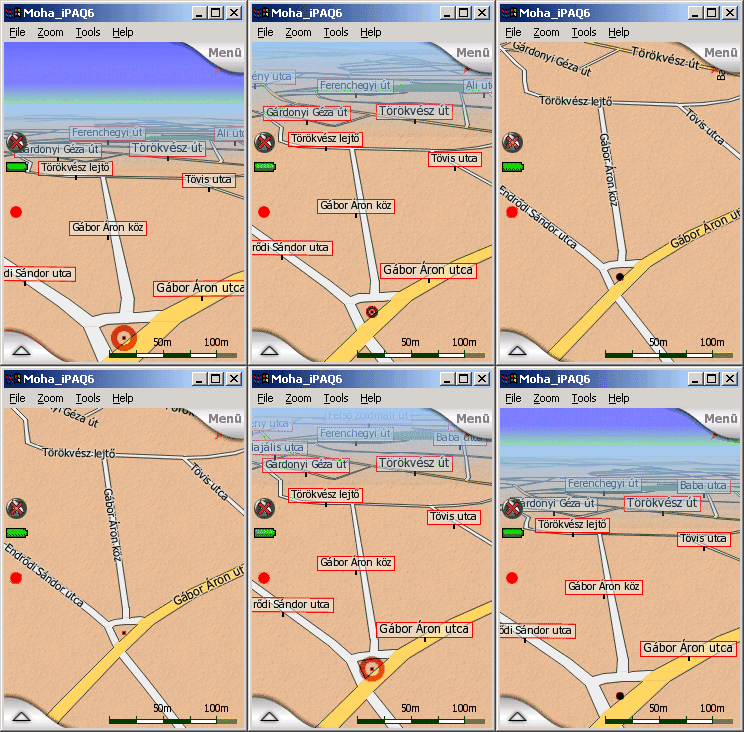 It
is also worth taking a look at the 3D view. The most advanced programs
all provide this kind of perspective view today. The usual problem is
the vertical angle of that view. Programs try to avoid working with
loads of data, that is why they will not let you turn the view flat and
show the map well ahead. Or if they do, they just cut the distance and
replace it with the sky creating a definite edge in between.
It
is also worth taking a look at the 3D view. The most advanced programs
all provide this kind of perspective view today. The usual problem is
the vertical angle of that view. Programs try to avoid working with
loads of data, that is why they will not let you turn the view flat and
show the map well ahead. Or if they do, they just cut the distance and
replace it with the sky creating a definite edge in between.
Nav N' Go has no problem with distant objects on the map. You can raise the camera view to have a large portion of the sky in the background (and if the direction is right, you can even see the sun in its real location in the sky!), and the distant map details are still there, smoothly dimmed into a kind of 'air perspective'. On the other hand you can turn the tilt angle up to the perpendicular to return seemlessly to the conventional 2D view.
A nice addition of Nav N' Go to this is the advanced autozoom feature. Not only an autozoom, it zooms and tilts at the same time. While you are far from the next junction, the zoom level lets you see the surrounding area (but will not zoom out to country level, as some systems do, just because the next turn is 50 kilometres away) and the 3D view is flat enough to let you see far ahead. As you approach a turn, it starts to zoom in like any other system, but it will also lift the angle to let you concentrate on the action itself. When you enter the junction, the view is almost 2D. As soon as you are finished with the manoeuvre, the view smoothly goes back to flat and zoomed out.
Driving on the road in perspective view
Now have a look at the map while we are driving on the recommended route. I should have included more animations as the experience is different using various zoom and tilt levels. (By the time of the English translation comprehensive videos are available for downloading from the demo site of the program.)
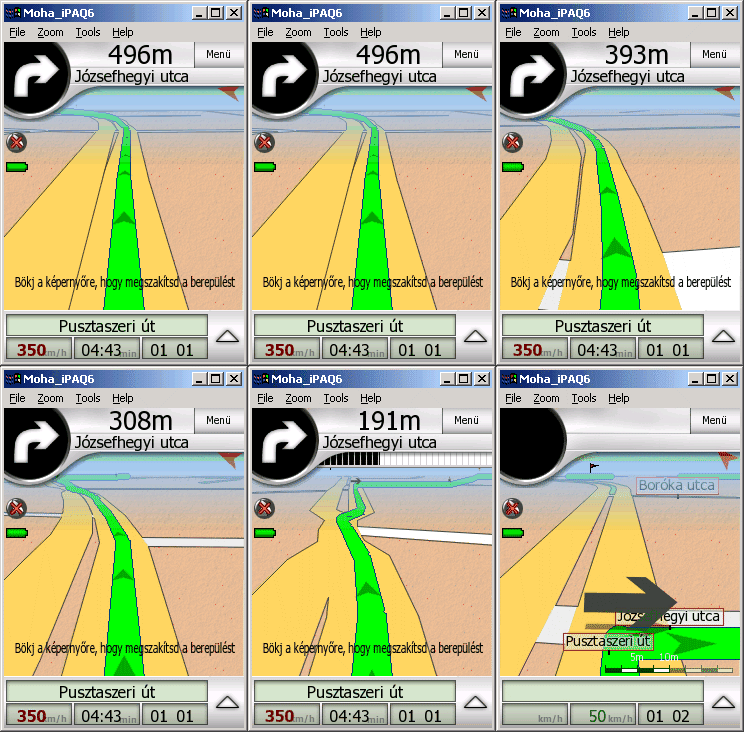 What
is shown here is just a quick virtual flight using a zoomed in flat
view. Almost the same sight seen through the windshield.
What
is shown here is just a quick virtual flight using a zoomed in flat
view. Almost the same sight seen through the windshield.
The animation speaks for itself. It is easy to recognise the green recommended route with the tiny arrows that show the direction to help us find the way if we need to cross our future path in a complex junction, the 'Distance to Next' counter and meter at the top section, and other usual stuff. On top of that if you have a route of multiple destinations, all parts are highlighted, but only the active part of the route is green to let the driver concentrate on what to do next.
The green line helps the driver tell if the road is unidirectional or bidirectional, too. On one-way roads the line is in the axis of the road, in case of two-way roads the line is on the right side of it (or on the left side in the UK).
Even the turn signal is moving
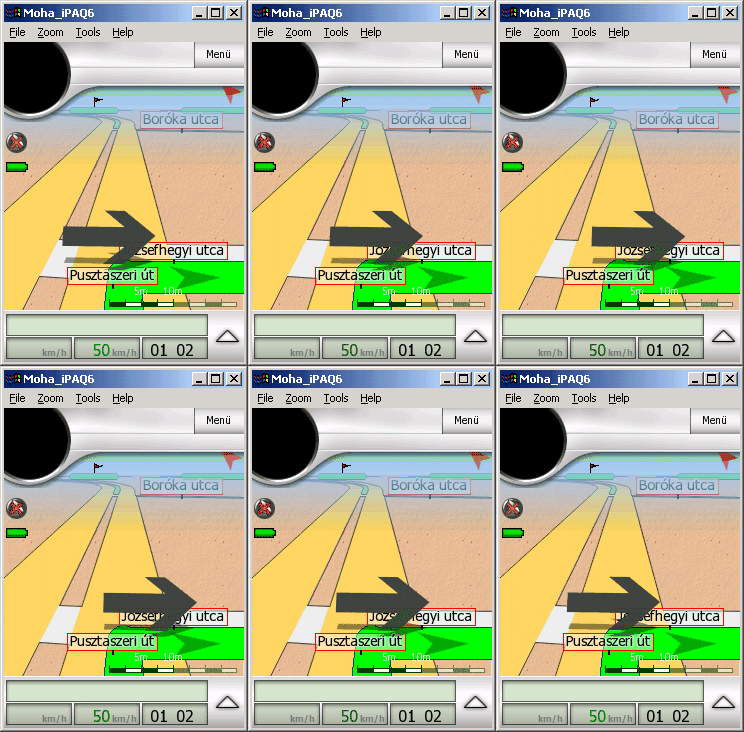 You may think it is only a 'funny feature' but the animated turn signals help to locate the next turn from a great distance.
The next part is about the content of the map screens and the controls of the program. At present it is only available in Hungarian but it might be worth to have a look at the sample screenshots.
To be continued soon.
Mohos Zoltán (Moha bá)